YouTube Thumbnail CORS: A .jpg Gives You the Pixels, a .webp Does Not
If you are building anything that needs the pixels of a YouTube thumbnail — crop it, re-encode it, turn it into a data URL, check its average colour — the file format decides whether your code runs at all. The .jpg path answers with Access-Control-Allow-Origin: *. The .webp path answers with no CORS header whatsoever. We proved the difference in a real browser on a real external origin on 23 October 2026: from thumbcatcher.com, fetch() on the JPEG returned 65,324 bytes and a canvas could read every pixel; the same call on WebP was refused, and an <img> carrying crossOrigin="anonymous" pointed at a WebP URL did not even load. Below are the headers, the browser results, and the one attribute that decides all of it.
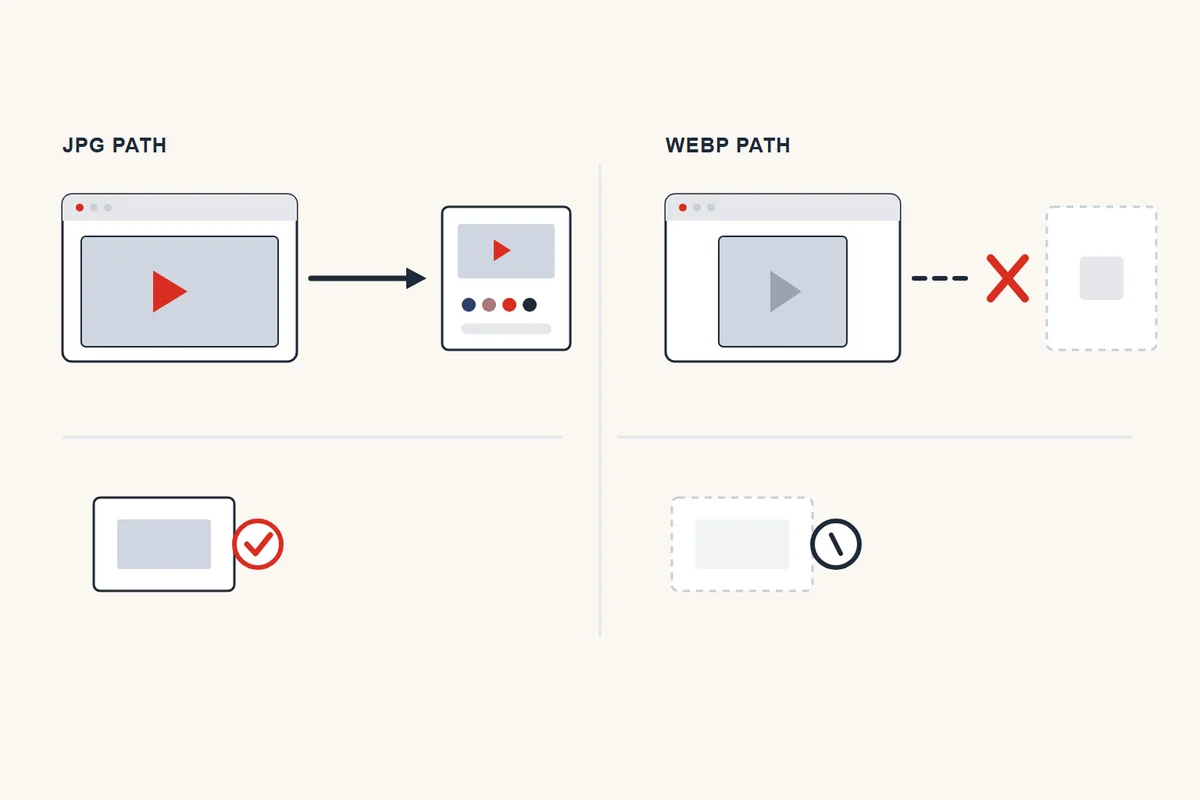
The headers, side by side
One video, one host, two paths. Nothing else changed.
| Request | Status | Bytes | Access-Control-Allow-Origin | Timing-Allow-Origin | Vary |
|---|---|---|---|---|---|
/vi/<id>/maxresdefault.jpg | 200 | 65,324 | * | * | none |
/vi/<id>/hqdefault.jpg | 200 | 21,011 | * | * | none |
/vi/<id>/mqdefault.jpg | 200 | 10,303 | * | * | none |
img.youtube.com/vi/<id>/maxresdefault.jpg | 200 | 65,324 | * | * | none |
i9.ytimg.com/vi/<id>/maxresdefault.jpg | 200 | 65,324 | * | * | none |
/vi_webp/<id>/maxresdefault.webp | 200 | 28,620 | absent | absent | Origin |
404 placeholder on the .jpg path | 404 | 1,097 | * | * | none |
404 placeholder on the .webp path | 404 | 552 | absent | absent | Origin |
Two details in that table matter more than they look. The WebP response carries Vary: Origin but no Access-Control-Allow-Origin — it is set up to vary by origin and then declines to name one, which for a browser means "not allowed". And the JPEG is permissive even when it fails: a 404 on the .jpg path still returns Access-Control-Allow-Origin: *, which is the quiet reason a browser tool can read the placeholder's bytes and tell you the file is missing.
What a browser on another origin can actually do
Headers are one thing; behaviour is another. We ran this from a page on https://thumbcatcher.com — a different origin from i.ytimg.com — and recorded what each call returned. Every line below is a result, not a prediction.
| What the page tried | Result | Detail |
|---|---|---|
fetch() a .jpg | works | 200, response.type = "cors", 65,324-byte blob, image/jpeg |
fetch() a .webp | refused | TypeError: Failed to fetch |
fetch() a missing ID (.jpg) | works | status 404 but readable: 1,097-byte blob, image/jpeg |
<img crossOrigin="anonymous"> on a .jpg | works | loads 1280 × 720; canvas pixel read returns 46,64,104,255; toDataURL produced 79,271 characters |
<img> on the same .jpg, no attribute | tainted | loads 1280 × 720; getImageData returns nothing readable; toDataURL throws |
<img crossOrigin="anonymous"> on a .webp | does not load | onerror fired — no image at all |
<img crossOrigin="anonymous"> on a missing ID | works | loads 120 × 90; pixel read returns 204,204,204,255 — the grey |
That fifth row is the one that wastes people's afternoons. Without crossOrigin an image displays perfectly and the canvas silently becomes unreadable — the picture is there, the pixels are not. Adding the attribute fixes the JPEG case and, if your code adds it unconditionally to a list of URLs, breaks every WebP URL in that list by turning it into a load error. A tool that "works for some videos and shows nothing for others" is often this, and the deciding variable is the file extension, not the video.
Preflight, for completeness: an OPTIONS with Origin and Access-Control-Request-Method: GET returned 200 with Access-Control-Allow-Origin: * on the .jpg path and 200 with no CORS header on the .webp path. No Access-Control-Allow-Methods was sent in either case, which is fine for a simple GET.
Hotlinking is not the problem people think it is
A common worry is that the image host blocks requests coming from other websites. It does not. The same file was requested with three different Referer values, including a bare localhost:
| Referer sent | Status | Bytes | Access-Control-Allow-Origin |
|---|---|---|---|
https://news.example.org/post | 200 | 65,324 | * |
https://thumbcatcher.com/guides/ | 200 | 65,324 | * |
http://localhost:8080/ | 200 | 65,324 | * |
Identical bytes in all three cases. So an <img src="https://i.ytimg.com/vi/…/maxresdefault.jpg"> on your own page will display, and there is no referrer trick to learn. What is restricted is reading the pixels of a WebP — not showing it, and not showing a JPEG at all.
Detecting the grey square by colour, not by size
Because a 404 on the .jpg path is CORS-readable, you can classify the file by looking at its pixels instead of trusting its byte count. We decoded both placeholders and a real thumbnail to see whether colour alone separates them:
| File | Status | Bytes | Pixels | Top-left pixel | Centre pixel | Distinct colours |
|---|---|---|---|---|---|---|
placeholder, .jpg path | 404 | 1,097 | 120 × 90 | 204, 204, 204 | 224, 224, 224 | 121 |
placeholder, .webp path | 404 | 552 | 120 × 90 | 204, 204, 204 | 221, 221, 221 | 107 |
real maxresdefault.jpg | 200 | 65,324 | 1280 × 720 | 46, 64, 104 | 170, 120, 123 | 71,297 |
real hqdefault.jpg | 200 | 21,011 | 480 × 360 | 0, 0, 0 | 173, 121, 125 | 27,711 |
Two placeholders, both starting at #CCCCCC in the corner, and neither holding more than 121 distinct colours — they are a two-tone gradient, not a photograph. A real thumbnail held 71,297. So the rule that survives contact with real files is: if the canvas has fewer than about two hundred distinct colours, you are looking at the placeholder, and you can test that in a browser with no server of your own and no knowledge of the byte count. The byte fingerprints behind this are on the verification page; this section is the pixel-side equivalent for code that already has the image decoded.
The rules that follow
- Need pixels? Use
.jpgonly. The/vi/path is the only one that grants CORS. A/vi_webp/URL can be displayed and cannot be read. - Set
crossOrigin="anonymous"deliberately, per format. On a JPEG it is what makes the canvas legal. On a WebP it is what makes the image disappear. Do not apply it to a mixed list of URLs. - Do not build a client-side WebP converter. Not because the format is hard but because the bytes are unreadable cross-origin; a proxy of your own is the only route, and that is a different product decision. The hover-preview page shows the animated WebP case, which is unreadable for a second reason on top of this one.
- Do not add a cache-buster to force freshness. The query string changes nothing on the server — measured on the cache page — and the copy you already have may legitimately live for two hours.
- If you only need to display it, you need none of this. Plain
<img src>works from any origin, for both formats, with any Referer.
Questions people actually ask
"Why does canvas.toDataURL() throw a security error on a YouTube thumbnail?"
Because the image was loaded without crossOrigin, so the canvas is tainted. Adding crossOrigin="anonymous" fixes it on a .jpg URL — we got a 79,271-character data URL back from a 1280 × 720 file. It does not fix it on a .webp URL, where the image will fail to load instead.
"Is img.crossOrigin always needed?"
Only if you read pixels. A plain <img> with no attribute displayed the same 1280 × 720 image correctly; the canvas just refused to hand over a single pixel. Display and read are two different permissions.
"Does the image host block hotlinking?"
No. Three different Referer values — a random news domain, our own pages, and http://localhost:8080/ — each returned 200 with the identical 65,324 bytes.
"So can I fetch a thumbnail with JavaScript and save it?"
For .jpg, yes, from any origin: response.type came back as "cors" and the blob was the full file. For .webp, no — fetch rejects before your code sees a response.
"Why does the missing-video case still work?"
Because the 404 on the .jpg path is served as a real image with CORS open. You can fetch it, read its bytes (1,097) and even draw it — its top-left pixel is 204, 204, 204. That is how a browser tool can tell "missing" from "present" without a server.
Every figure on this page comes from work we did on 23 October 2026: nine URLs checked header by header, an OPTIONS preflight on both paths, three Referer variants, four images decoded offline for their pixel counts and colours, and a live run in Chrome 155 from an https://thumbcatcher.com page doing fetch, <img> with and without crossOrigin, getImageData and toDataURL. The video ID used is given as an ID and no image or channel is named on this page. Two things we did not test and therefore do not claim: whether this policy has always been in place, and how it behaves from a file:// or null origin. Nothing here is an estimate.